Consider the average computer workstation for a moment. You sit down in the morning, reach your right arm outward to grab a traditional optical mouse, lean slightly forward toward your monitor, and begin typing on a flat, rigid keyboard. By 2:00 PM, a subtle tightness begins to radiate through your wrist. By 4:00 PM, that tightness has crept up your forearm into your neck and across your upper back. By the time you log off for the day, you are left dealing with the lingering, dull ache of “desk fatigue.”
For millions of remote workers, software engineers, video editors, and administrative professionals, this daily physical tax has become an accepted byproduct of modern computer work. We often blame our chairs or our posture, but the real culprit is right under our fingers: outdated, non-ergonomic computer peripherals that force the human body to adapt to the machine rather than adapting the machine to the human body.
This is precisely where Contour steps in to shatter the status quo. As a globally recognized pioneer in human-centered desk technology, Contour Design has spent decades engineering solutions that eliminate strain, boost productivity, and fundamentally redefine how we interact with our computers. Grounded in Scandinavian ergonomic principles, Contour’s product philosophy boils down to a clear, powerful promise: “Drives & Moves. No Strain”.
A quick exploration of the Contour Storefront reveals a comprehensive ecosystem of centered mice, customizable vertical pointers, compact keyboards, and specialized multimedia controllers designed to transform your desk into a pain-free productivity hub.
In this ultimate guide, we take an in-depth look at six standout Contour tools that are actively reshaping modern office ergonomics. Whether you are seeking to alleviate chronic wrist strain, speed up complex creative editing timelines, or build a sleek, minimalist desk setup, Contour has engineered a solution tailored directly to your hands.
1. The Centered Mouse Revolution: RollerMouse Pro & SliderMouse
To understand why Contour’s centered mice are revolutionary, one must first recognize the fundamental design flaw of the conventional mouse. When you use a standard mouse placed to the right or left of your keyboard, your arm is forced into an unnatural position called “reaching.” Over an eight-hour workday, repeatedly reaching outside your shoulder line exerts continuous static tension on your shoulder girdle, upper back, and neck muscles.
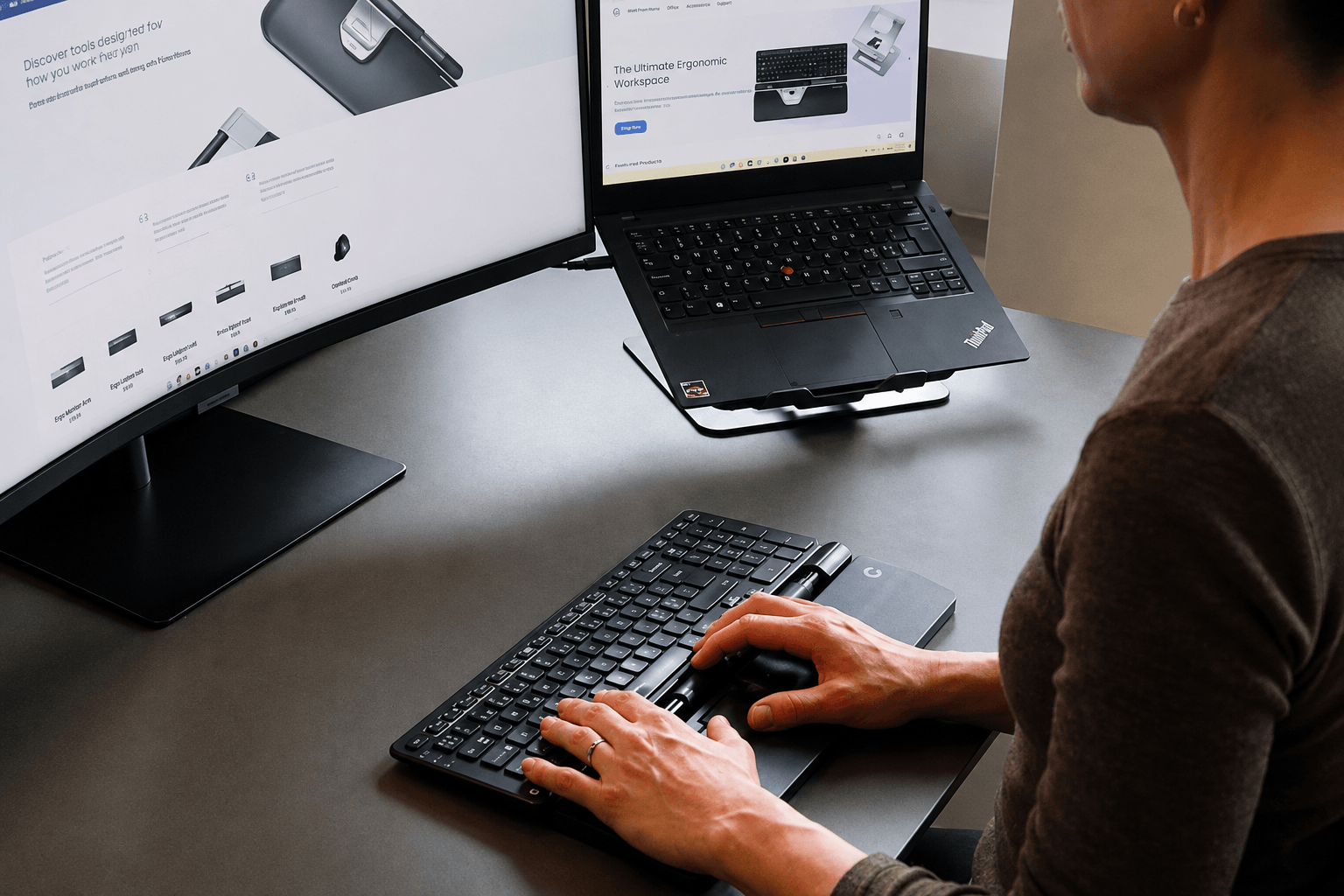
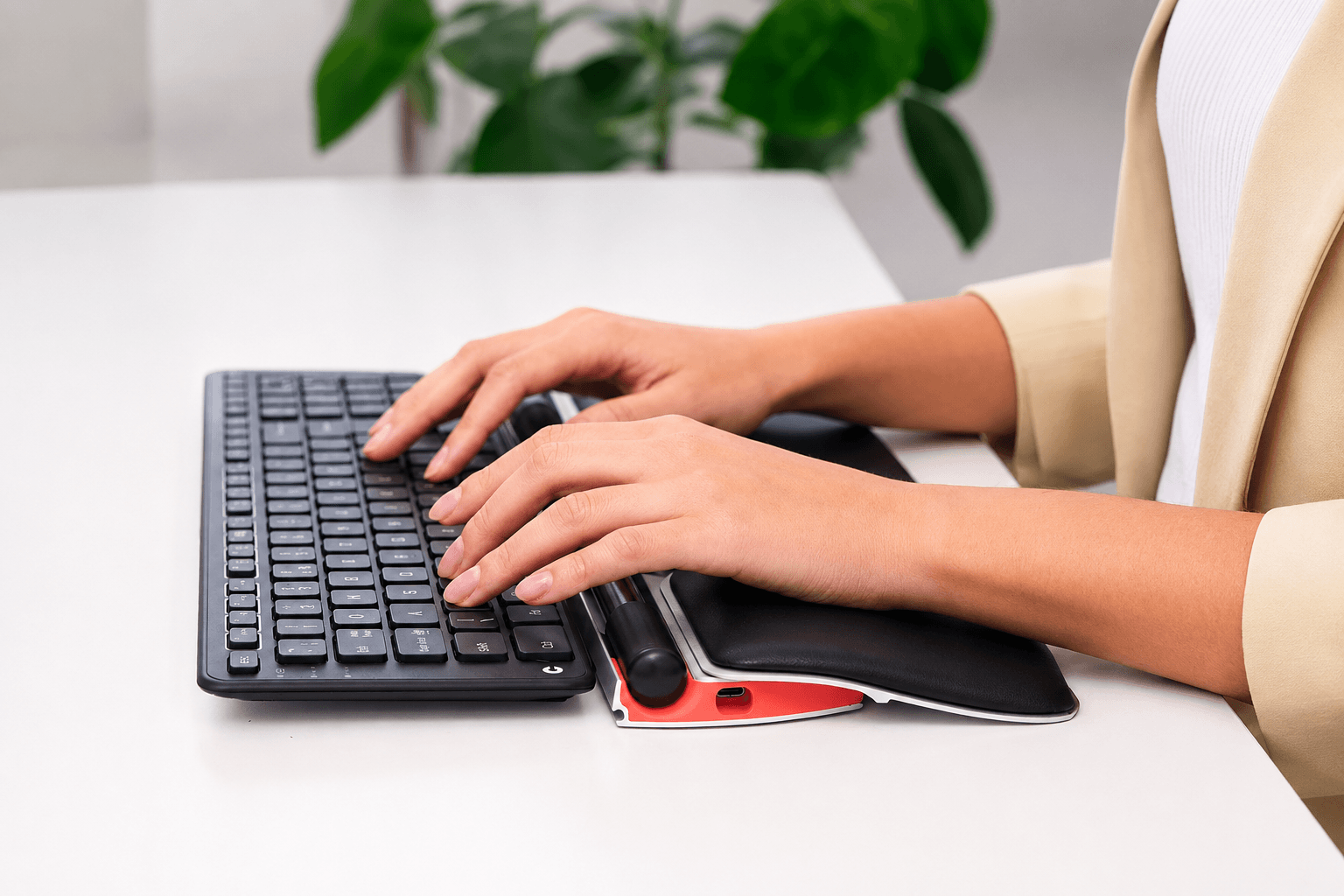
Contour solved this ergonomic dilemma by inventing the centered mouse concept. Devices like the RollerMouse Pro and the SliderMouse sit directly in front of your keyboard, keeping your hands, arms, and wrists within your natural “primary work zone”.
- The RollerMouse Pro Experience: Featuring a smooth, clickable rollerbar, the RollerMouse Pro lets you control the cursor effortlessly using subtle finger movements with either hand. You can slide the bar left and right to move laterally across screen real estate, roll it up and down to navigate vertically, and press down lightly to click. By encouraging ambidextrous navigation and keeping your arms close to your torso, it completely eliminates shoulder-reaching strain.
- The SliderMouse Advantage: For users who prefer a tactile sliding feel, the SliderMouse replaces the rollerbar with an intuitive sliding bar that provides pinpoint cursor accuracy. It offers seamless control over high-resolution dual-monitor setups without requiring sweeping hand movements.
- Modular Comfort & Customization: Both the RollerMouse Pro and SliderMouse are equipped with premium, magnetic vegan leather or fabric wrist rests that provide continuous, comfortable support to your palms. These wrist supports promote a neutral joint alignment, helping prevent repetitive strain injuries (RSI) like Carpal Tunnel Syndrome.
By centralizing cursor control, these devices distribute physical effort evenly across both hands, delivering on Contour’s promise of “No more tired shoulders”.
2. Dynamic Ergonomics Tailored to Your Hand: Unimouse
While centered mice offer an exceptional solution for desktop setups, many professionals still prefer the familiarity of a handheld vertical mouse. However, most vertical mice on the market suffer from a severe limitation: they are fixed at a single, static angle. Because every human hand has a unique bone structure, palm width, and grip style, a static mouse angle inevitably forces many users into awkward wrist twisting.
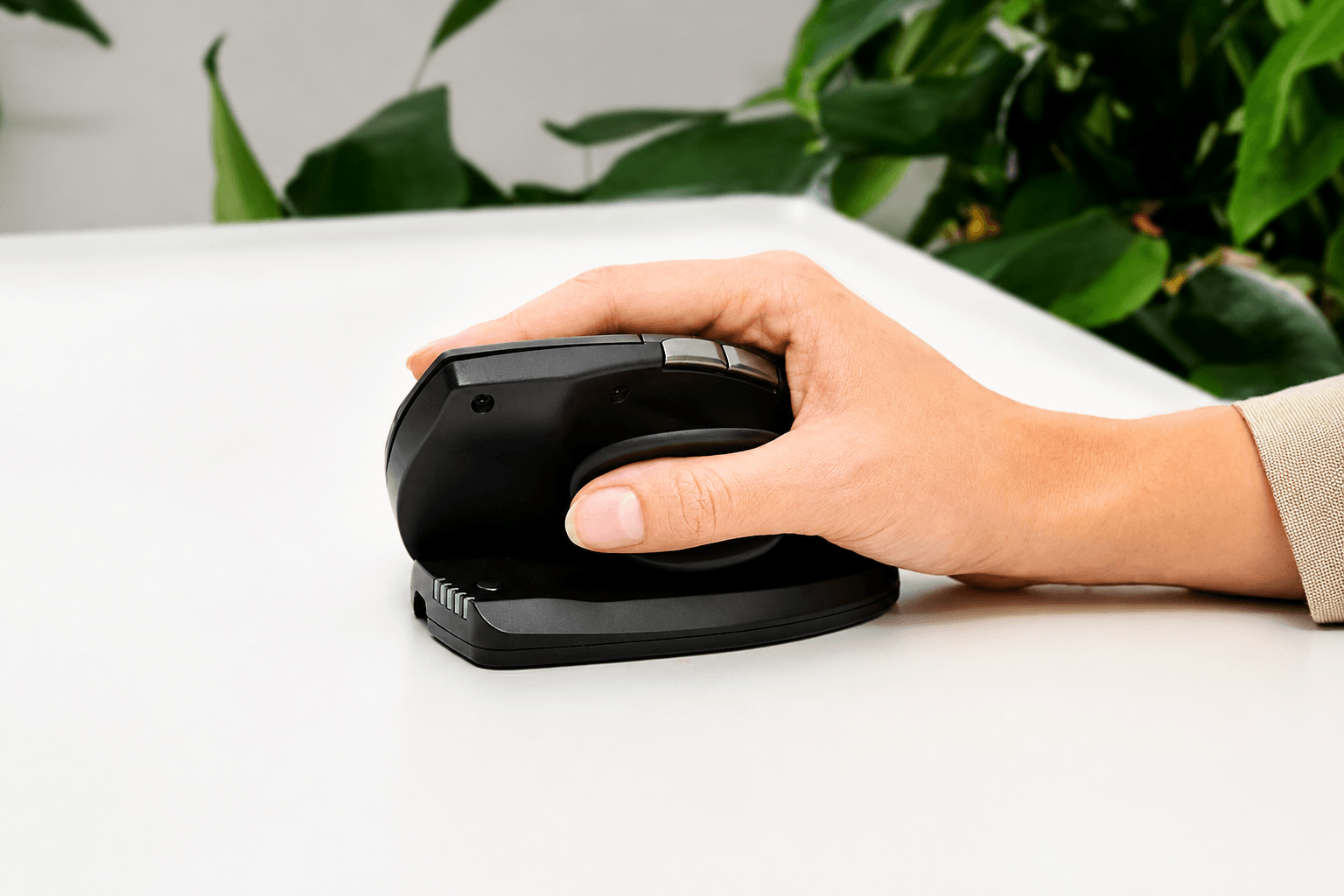
The Contour Unimouse breaks this rigid design mold by introducing unprecedented, multi-axis adjustability.
- Patented Articulating Hinge: The standout feature of the Unimouse is its patented adjustable body angle. Using a smooth internal mechanism, you can adjust the vertical tilt anywhere from 35 degrees to 70 degrees. This allows you to fine-tune your hand posture from a slightly angled grip to a full “handshake” position, relieving forearm pronation and pressure on the median nerve.
- 3D Adjustable Thumb Rest: Ergonomics is not just about the palm; it is equally about thumb support. The Unimouse features an articulating thumb rest that expands, collapses, and swivels in all directions. This ensures your thumb sits naturally without pinching, reducing hand fatigue during long typing-and-pointing sessions.
- Customizable Productivity: Beyond its physical flexibility, the Unimouse is packed with smart hardware features, including six programmable buttons, an ultra-smooth scroll wheel, and ten adjustable cursor speed settings (DPI) ranging from precise detail work to high-speed navigation.
As Contour succinctly puts it, the Unimouse “adjusts seamlessly to your unique grip for all-day ease and customized comfort”.
3. Posture Alignment at the Keys: The Balance Keyboard Series
A centered mouse or vertical pointer is only half of the ergonomic equation. The keyboard you choose plays an equally crucial role in determining your upper body alignment. Standard full-sized keyboards often feature wide numeric keypads on the right side, forcing your mouse hand outward. Furthermore, traditional keyboard tilt legs raise the back row of keys, forcing your wrists into a harmful state of extension.
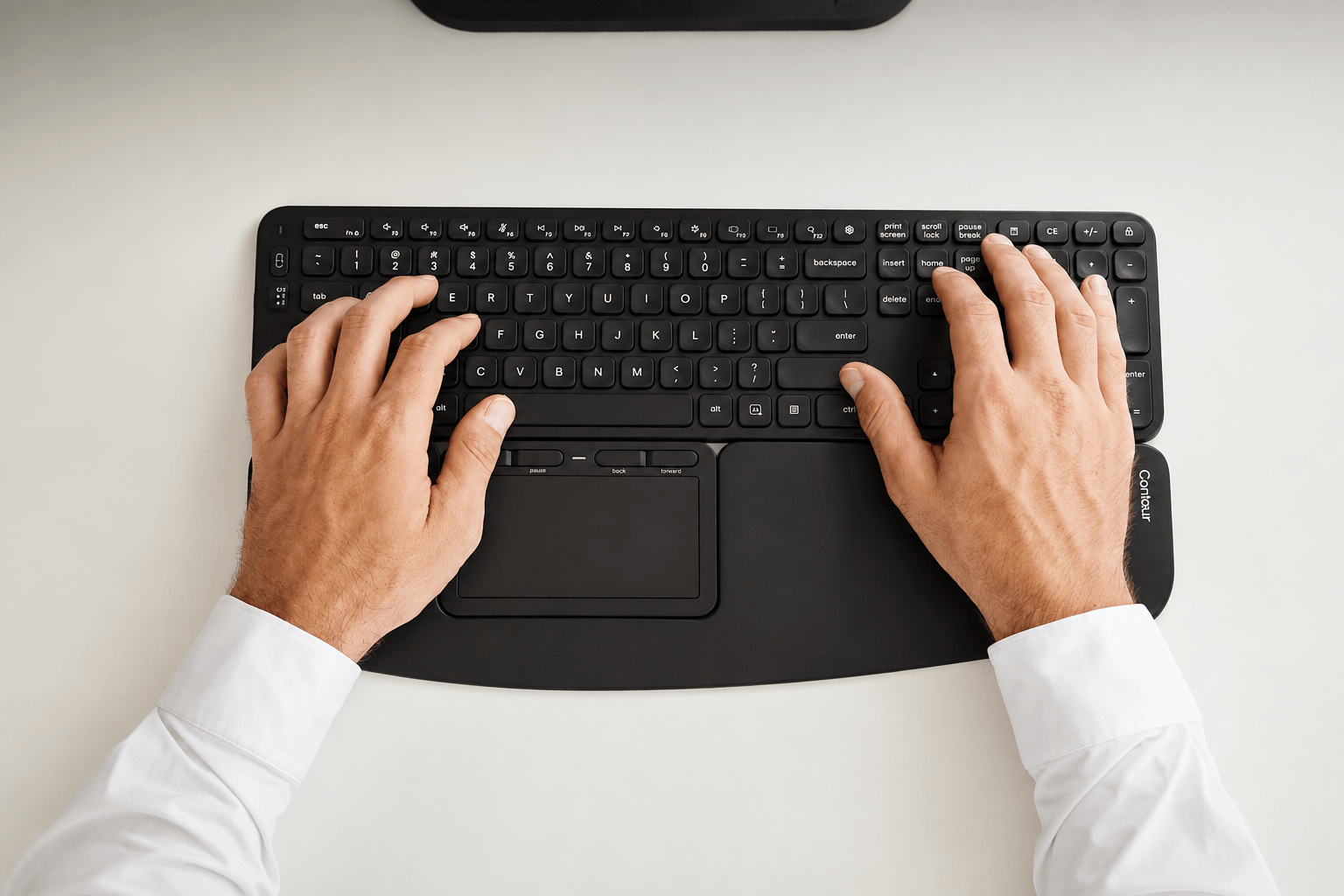
The Contour Balance Keyboard was engineered specifically to solve these postural challenges while pairing seamlessly with Contour’s centered mice line.
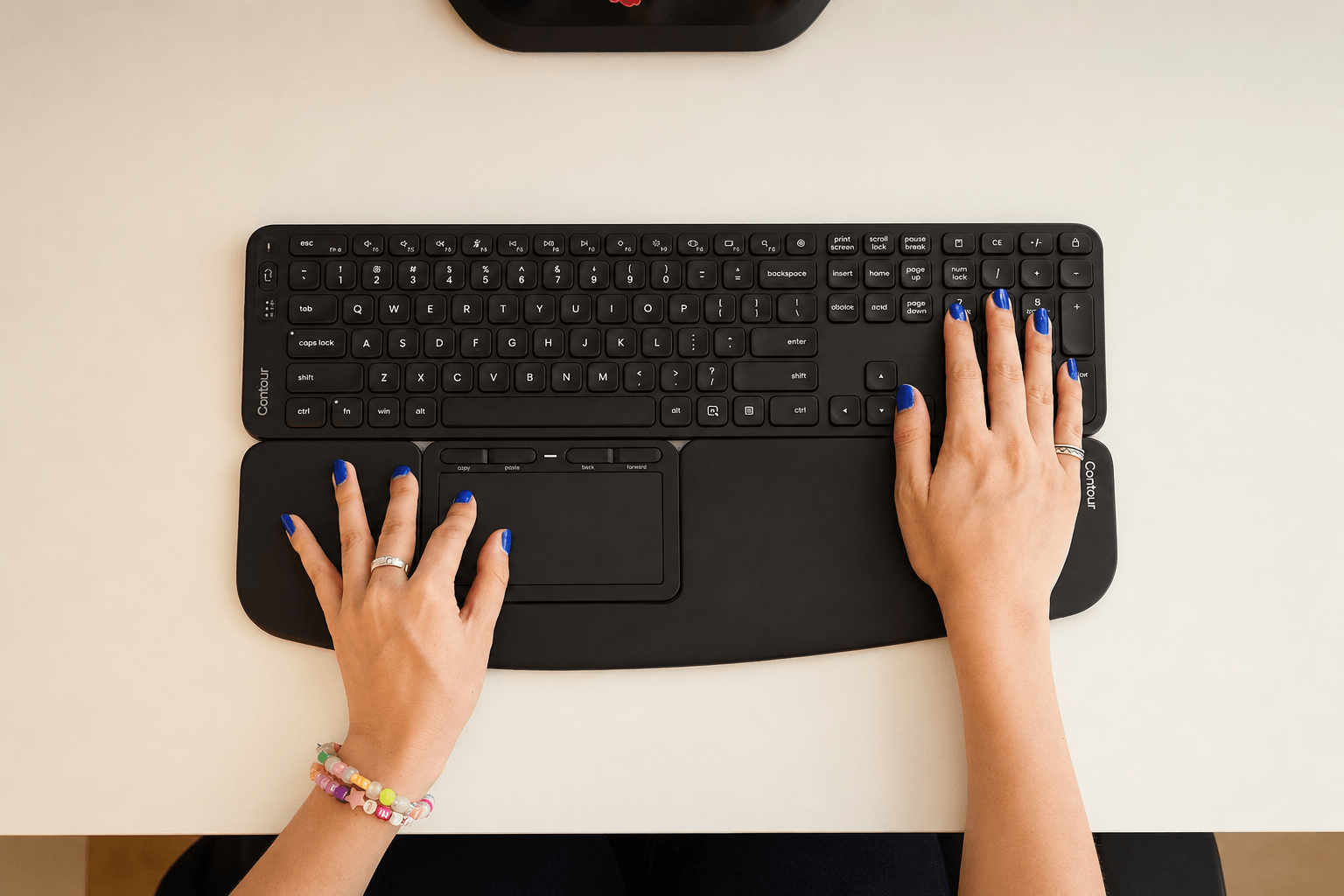
- Compact, Centered Layout: The Balance Keyboard maintains an ultra-compact footprint without sacrificing essential keys. Its streamlined design keeps your hands perfectly aligned with your body’s center, allowing you to transition between typing and mouse navigation with minimal hand movement.
- Negative Tilt Capability: One of the most critical health features of the Balance Keyboard is its adjustable tilt legs. Unlike standard keyboards that tilt upward, the Balance Keyboard allows for neutral or negative tilt angles. Sloping the keys away from you ensures your wrists remain completely flat and relaxed while typing, taking immediate stress off your forearms.
- Tactile Precision & Quiet Typing: Built with low-profile, whisper-quiet key switches, the Balance Keyboard offers crisp key feedback with optimal actuation force. Dedicated media keys and customizable function shortcuts allow you to streamline routine computer tasks with a single keypress.
Whether paired directly with a RollerMouse or used as a standalone typing deck, the Balance Keyboard delivers modern keying efficiency designed around human anatomy.
4. Creative Speed & Timeline Mastery: Shuttle Controllers
For digital creators, video editors, music producers, and graphic designers, workflow speed is dictated by shortcut efficiency. Navigating complex software timelines in programs like Adobe Premiere Pro, Final Cut Pro, DaVinci Resolve, or Logic Pro using standard keyboard shortcuts often feels clunky and unintuitive.
The Contour Shuttle series (including the popular ShuttleXpress and ShuttlePRO v2) serves as the ultimate desktop command center for media creation.
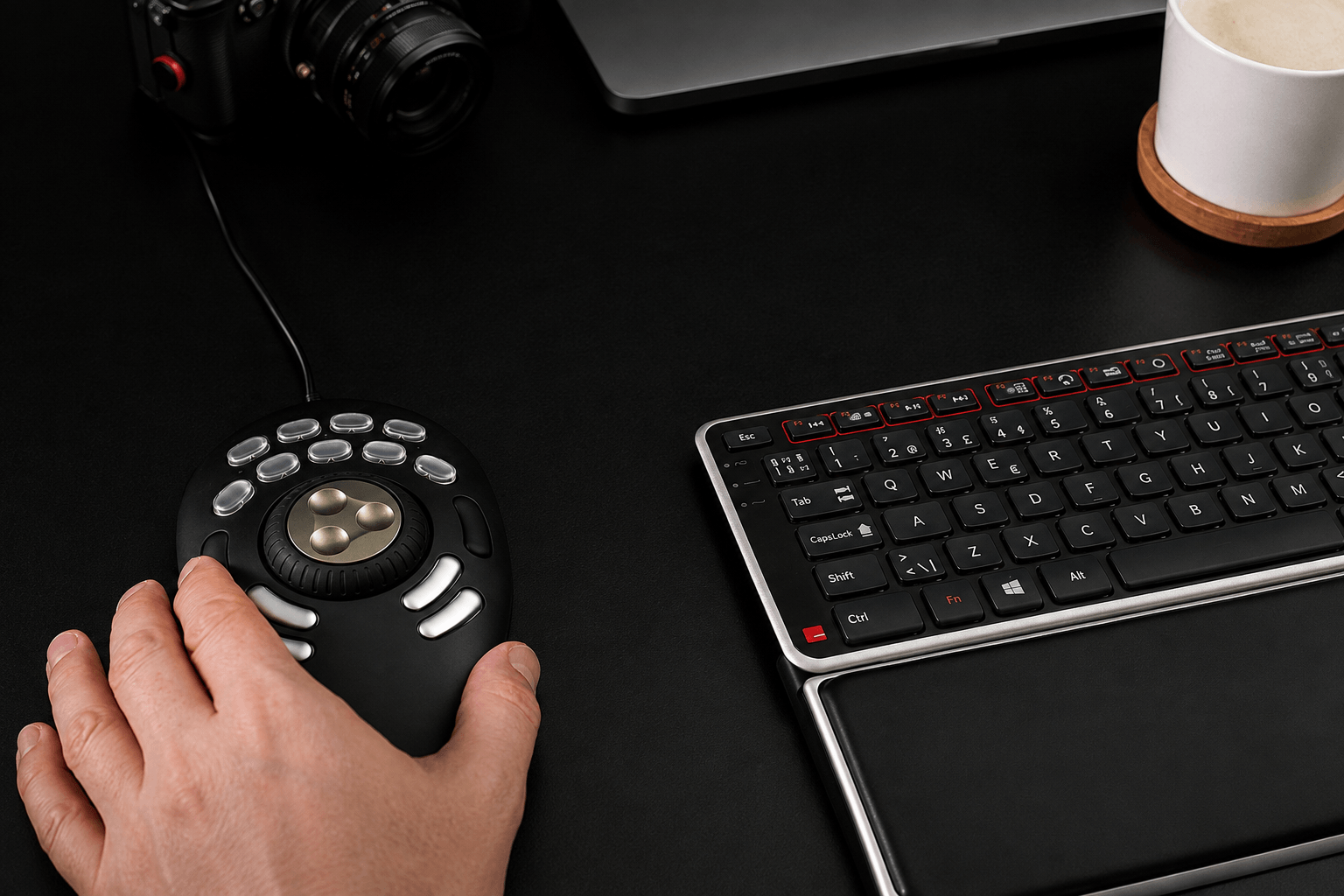
- Precision Jog & Shuttle Controls: At the center of the Shuttle controller sits a dual-action control wheel. The inner jog dial turns 360 degrees, allowing frame-by-frame precision when scrubbing through video footage or audio waveforms. The outer spring-loaded shuttle wheel allows you to fast-forward or rewind at variable speeds depending on how far you rotate the dial.
- Fully Programmable Macro Keys: Surrounding the central dial are fully customizable, tactile buttons. Using Contour’s intuitive software driver, users can assign complex multi-key shortcuts, macros, or cut/trim tools directly to these keys.
- Application Auto-Switching: The Shuttle automatically detects which application is currently active on your screen and instantly switches to your pre-configured profile for that specific software.
By transferring timeline navigation away from the keyboard and traditional mouse, the Shuttle controller dramatically accelerates editing workflows while reducing hand fatigue for creative professionals.
Why Contour Belongs on Your Desk Today
In a world where we spend more time at our computer workstations than ever before, investing in proper ergonomics is not a luxury—it is a vital commitment to your long-term health, comfort, and professional performance.
Contour stands out in the crowded peripheral market because they refuse to cut corners. Every rollerbar mechanism, adjustable hinge, and key switch is “Made for you, built to last”. By addressing the root causes of musculoskeletal strain—reaching, fixed wrist angles, and repetitive movements—Contour empowers you to work smarter, stay energized throughout the afternoon, and end your workday feeling as fresh as when you started.
Ready to transform your desk into a pain-free productivity sanctuary?
Stop compromising on your comfort and start working without physical strain. Whether you choose the centered control of the RollerMouse Pro, the adjustable versatility of the Unimouse, the wrist alignment of the Balance Keyboard, or the creative speed of the Shuttle controller, your hands and shoulders will thank you.
Explore Contour’s complete lineup, unlock exclusive bundle savings, and upgrade your daily workflow today through our direct promotional access portal below:
🔥 CLICK HERE TO UNLOCK EXCLUSIVE CONTOUR PROMOTIONS & UPGRADE YOUR WORKSTATION TODAY! 🔥
Transform your grip. Protect your health. Experience true ergonomic freedom with Contour.