How ZUMWALT is bringing multi-screen flexibility, portable productivity, and smarter workspace design into everyday digital life.
Your Workspace Should Travel as Easily as Your Ideas
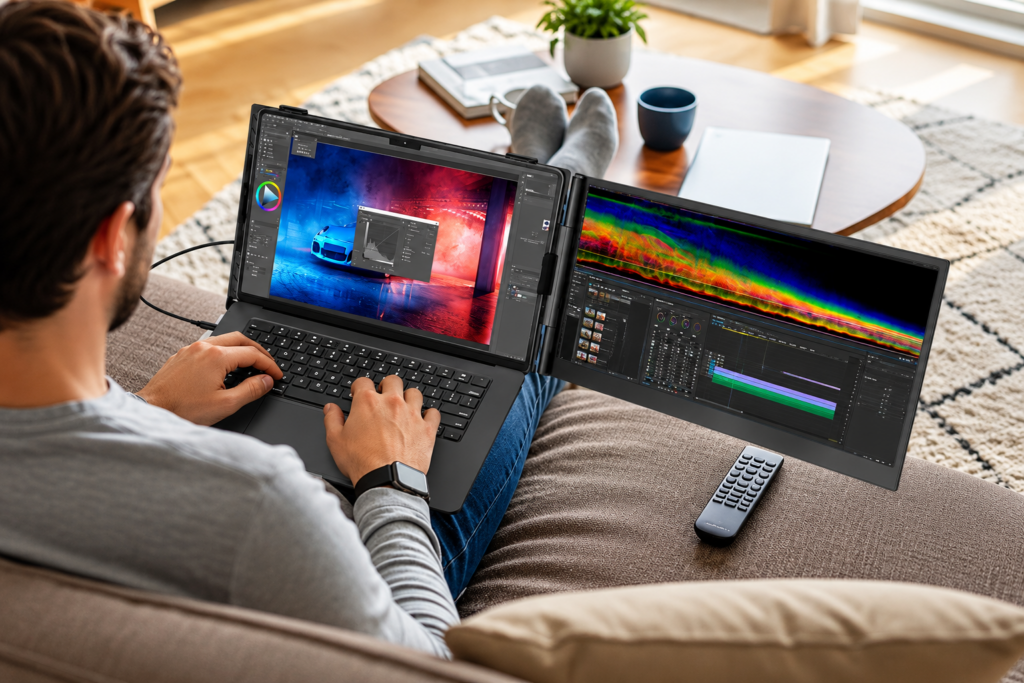
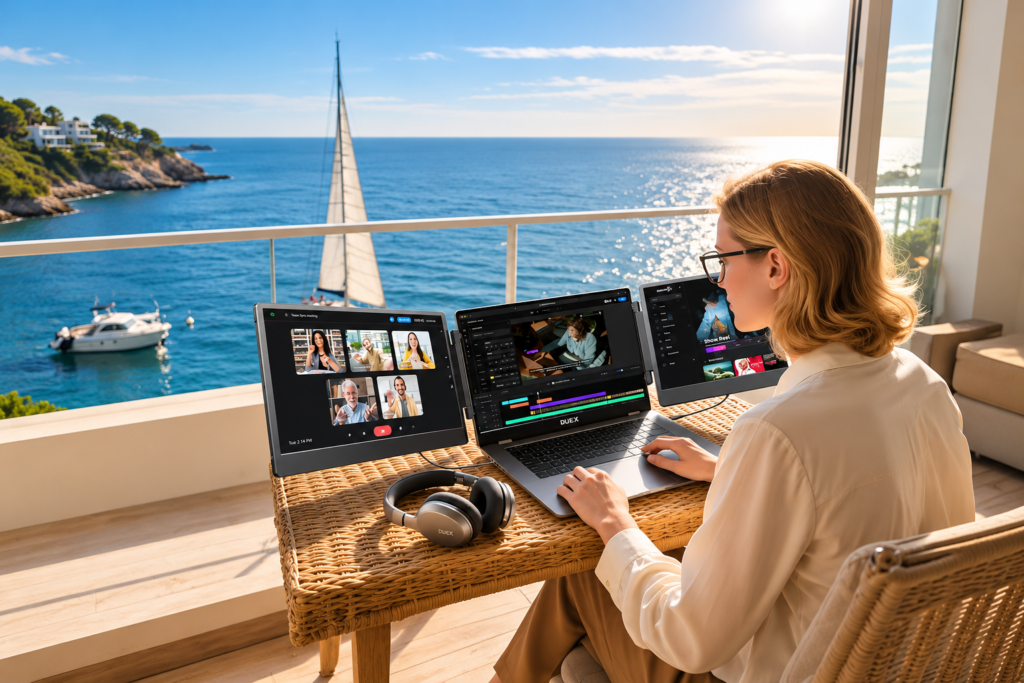
A laptop can follow you almost anywhere, but its screen space often cannot keep up with your workload. Video meetings compete with spreadsheets, creative projects require constant reference checking, and researching information means switching between endless browser tabs. ZUMWALT laptop screen extenders address this familiar problem by offering additional display space without requiring a conventional desktop monitor setup.
What makes ZUMWALT worth exploring is not simply its selection of portable monitors. The brand represents a practical approach to mobile computing, where productivity depends less on having a permanent office and more on creating a comfortable digital workspace wherever work happens. Its collection focuses on flexible displays, travel-friendly construction, and straightforward connections that help make multi-screen working more accessible.
The Brand Behind a More Flexible Desktop
ZUMWALT’s Central Idea: More Space Without More Furniture
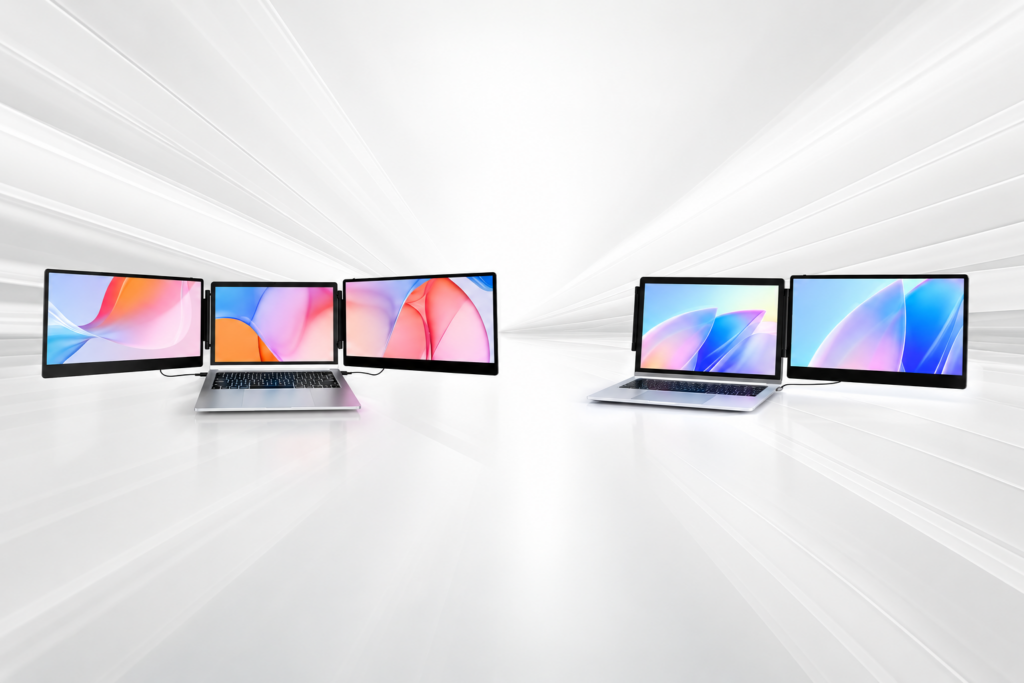
ZUMWALT positions itself around a straightforward belief: a laptop should not limit the way people organize information. Through its screen extender collection, the brand targets professionals, remote workers, and other users who regularly manage several applications simultaneously. Instead of replacing existing computers, its products are designed to expand their everyday usefulness.
This focused positioning is an important part of ZUMWALT’s identity. Many technology companies compete by offering entirely new computing systems, but ZUMWALT concentrates on improving the equipment customers already own. A portable monitor can transform a compact laptop into a more capable workstation while allowing the original computer to remain the center of the setup.
A Brand Designed for Changing Work Locations
The traditional distinction between working at home and working elsewhere has become less relevant for many digital professionals. Freelancers may alternate between client offices and home desks, while students might study in libraries, classrooms, and shared apartments. ZUMWALT responds to this variety with display solutions that can be assembled, adjusted, and transported according to the available space.
Its approach is particularly relevant to people who need familiar working arrangements in unfamiliar environments. Instead of rebuilding a workspace at every destination, users can carry additional screen capacity alongside their laptops. The practical objective is continuity: keeping important applications visible and reducing the adjustments required when moving between locations.
The Design Philosophy Behind ZUMWALT
Portability Is a Combination of Several Decisions
A portable monitor is not automatically convenient because it fits inside a bag. Weight, screen thickness, mounting design, cable requirements, and setup complexity all influence whether someone will actually use it every day. ZUMWALT’s lineup explores these considerations through different screen sizes, lightweight constructions, and mounting arrangements rather than relying on a single design.
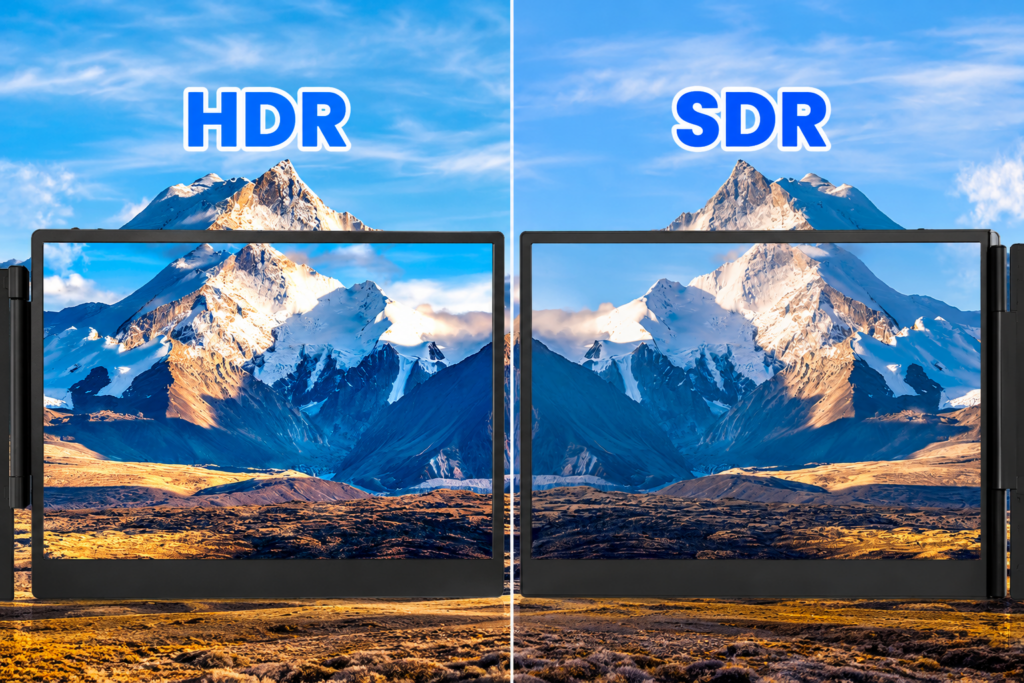
Its product descriptions repeatedly emphasize Full HD displays, slim profiles, and plug-and-play operation. These characteristics address practical concerns for travelers who cannot dedicate much storage space to electronics. However, portable convenience still depends on the host laptop, supported connections, and available desk space, making compatibility an essential part of the purchase decision.
Flexibility Matters More Than One Perfect Arrangement
ZUMWALT’s broader appeal comes from offering alternatives to a fixed monitor layout. Some models prioritize multiple screens positioned around the laptop, while others emphasize detachable stands or horizontal and vertical orientation. This distinction matters because a designer reviewing wide visual layouts may need something entirely different from a programmer reading long sections of code.
Rather than presenting screen size as the only meaningful difference, the collection encourages customers to think about how they prefer to work. A larger display may help with complex documents, a lighter monitor may suit frequent travel, and a rotating stand can support changing presentation needs. The best configuration is ultimately the one that fits the user’s normal routine.
Four ZUMWALT Displays, Four Different Workspace Priorities
The following models illustrate how ZUMWALT translates its brand concept into practical equipment. Each product serves a slightly different preference, allowing customers to compare display area, portability, and flexibility without becoming overwhelmed by specifications.
1. ZUMWALT 15.6-Inch Triple Portable Monitor: A Wider Digital Workstation
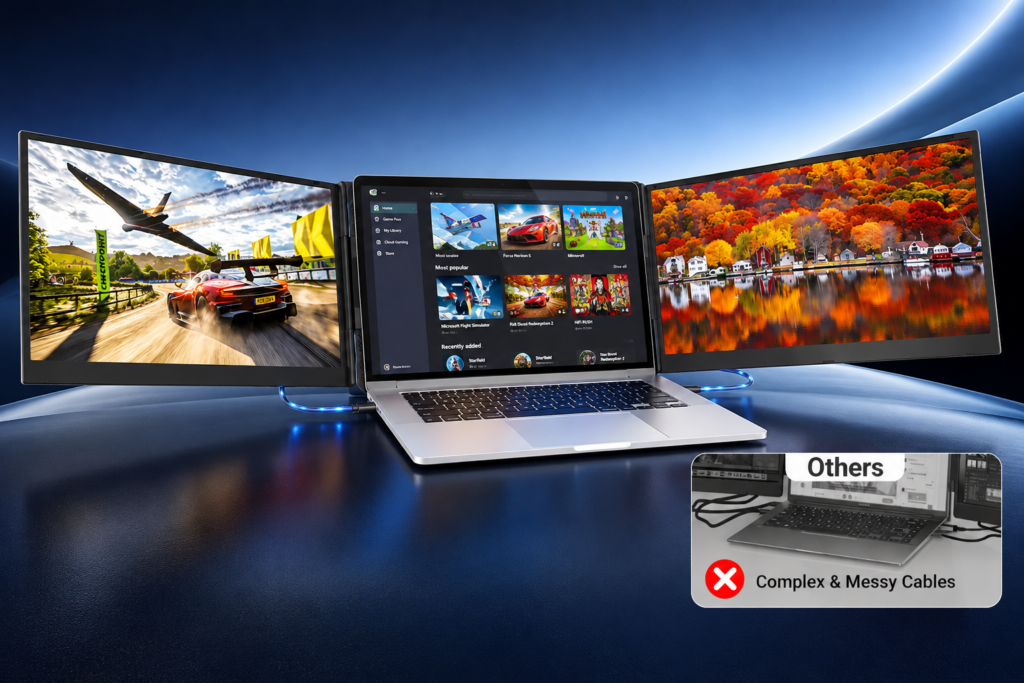
The 15.6-inch laptop screen extender is designed for users seeking a larger multi-display arrangement. It features 1080P Full HD screens, an ultra-slim construction, and USB-C plug-and-play connectivity, with a stated laptop size range of 12 to 17.3 inches. Compatibility claims include Windows, Mac, and Android devices, subject to their actual video-output capabilities. Its triple-screen concept is particularly relevant to managing documents, communication tools, and reference materials simultaneously.
2. ZUMWALT 14-Inch Ultra-Thin Triple Monitor: Mobility With Expanded Viewing
This 14-inch Full HD screen extender emphasizes a lightweight aluminum design, with an advertised weight of approximately 2.2 pounds and support for laptops measuring 13 to 17.3 inches. Its compact construction is attractive for people who regularly carry their working equipment. The listing highlights plug-and-play functionality and compatibility with several computing platforms, making it worth considering for a portable multi-screen arrangement once the laptop’s display-output support has been verified.
3. ZUMWALT 16.1-Inch Portable Monitor: A Different Direction for Productivity
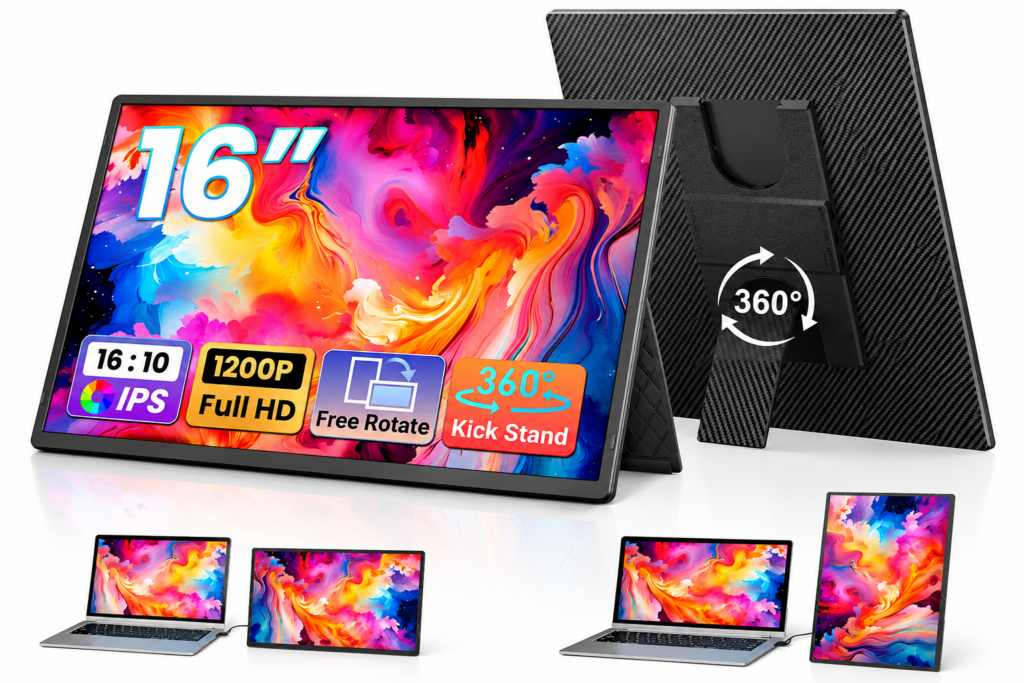
Featuring a 16.1-inch 1200P display, this portable monitor introduces a more flexible viewing experience through its detachable stand and advertised 360-degree rotation. Horizontal and vertical positioning make it useful for reviewing longer documents, working with programming interfaces, or presenting information to another person. Its plug-and-play design and slim construction suit users who want an independent secondary screen with more freedom over placement.
4. ZUMWALT 14-Inch Lightweight Dual Monitor: Simplicity in a Slim Profile
This 14-inch 1080P portable monitor centers on convenient everyday screen expansion. With a claimed thickness of approximately 0.17 inches, it is designed to add display space without introducing a bulky accessory. The model is positioned for laptops between 13 and 17.3 inches and supports several computing and entertainment platforms. Its smaller footprint makes it appealing for students, occasional travelers, and professionals who prefer a two-screen arrangement.
Understanding the ZUMWALT Collection at a Glance
| Display | Main advantage | Best-fit priority |
|---|---|---|
| 15.6-inch, 1080P | Triple-screen layout | Larger workspace |
| 14-inch, 1080P | Lightweight aluminum design | Frequent travel |
| 16.1-inch, 1200P | Rotating detachable stand | Flexible orientation |
| 14-inch, 1080P | Ultra-thin secondary display | Compact simplicity |
Specifications reflect advertised configurations. Connection requirements and supported display counts must be checked for the exact laptop and product variant.
Beyond the Featured Models: The Importance of a Complete Setup
ZUMWALT’s wider range includes other monitor configurations and connection accessories designed to address different hardware arrangements. Detachable screens and clip-on extenders provide alternatives for users who prefer either independent placement or integrated multi-screen layouts. Connection options, including HDMI-to-USB-C cables and specialized adapters, are also relevant when standard USB-C video output is unavailable.
These supporting products reveal an important aspect of the brand’s offering. A portable workstation depends on more than screen quality: compatible cables, stable positioning, adequate power, and convenient transportation all contribute to the experience. Buyers should evaluate the complete setup rather than selecting a monitor based on display size alone.
Original Workspace Analysis: Which Screen Arrangement Solves the Most Friction?
To evaluate the collection from a practical perspective, this editorial analysis uses four representative digital workflows. The comparison examines common workspace requirements and the features emphasized in ZUMWALT’s product descriptions. It is an original, scenario-based assessment, not a consumer survey, laboratory test, or measurement of actual productivity improvements.
| Working situation | Common challenge | Relevant ZUMWALT approach |
|---|---|---|
| Remote meetings | Notes compete with video calls | Triple-screen arrangement |
| Spreadsheet analysis | Limited room for data and references | Larger additional display |
| Programming and editing | Long content requires scrolling | Rotating portrait monitor |
| Business travel | Limited luggage and desk space | Lightweight 14-inch monitor |
The strongest insight is that additional screen space is valuable when it removes a specific interruption. Someone attending meetings all day may benefit from keeping notes visible, while a writer may gain more from a vertically positioned reference document. More screens do not automatically create more productive hours; their value depends on how deliberately the workspace is organized.
The Technology Behind a Smooth Multi-Screen Experience
Three Steps to Configure a Portable Workspace
A successful setup begins with understanding the laptop rather than assuming every connection works identically. Although ZUMWALT advertises plug-and-play operation for selected products, the computer must support the required video output, power demands, and number of external displays.
- Check the hardware first. Confirm the laptop’s supported external-display count, USB-C video capabilities, and any required HDMI or adapter connections. USB-C ports do not universally support video transmission.
- Connect and arrange the displays. Attach the appropriate cables, position the monitor securely, and select an extended or mirrored display mode. Windows users can configure screen order in Display Settings, while Mac users can adjust arrangements through System Settings.
- Optimize the workspace. Set suitable resolution, scaling, and orientation. Keep frequently referenced information visible and avoid filling every display with unnecessary applications.
These steps reflect guidance from Microsoft Support, Apple Support, and the Video Electronics Standards Association’s DisplayPort resources. They also highlight why checking compatibility before purchasing can prevent setup frustration.
What Makes Multi-Screen Compatibility Worth Investigating?
The words “compatible with Mac” or “USB-C plug-and-play” deserve careful interpretation. Apple computers support different numbers of external displays depending on their chip generation and model. Windows laptops also vary according to their graphics hardware, available ports, and supported connection technologies. A USB-C connector’s physical appearance alone does not guarantee that it carries a video signal.
For example, ZUMWALT’s 14-inch dual-monitor listing includes a specific restriction concerning MacBooks with M1, M2, and M3 chips. Buyers should check the latest compatibility notes for their exact model rather than treating general platform compatibility as universal. This consideration is especially important when choosing triple-screen equipment that requires two independent external video signals.
Good Screen Design Also Includes Visual Comfort
More display space should support comfortable working habits, not simply encourage longer uninterrupted sessions. The U.S. National Institute for Occupational Safety and Health recommends appropriate monitor positioning, glare reduction, and regular breaks for computer work. Its ergonomic guidance generally places an external monitor about an arm’s length away, with the top of the screen at or below eye level.
ZUMWALT’s adjustable and rotating designs can help users adapt monitor positioning to available space, although they do not replace proper ergonomic arrangements. Maintaining comfortable viewing angles, selecting readable text sizes, and reducing unnecessary brightness differences between screens can make an expanded workspace easier to use over time.
Where ZUMWALT Fits Into Everyday Digital Life
The brand’s products have applications across several professional and personal environments, but the benefit differs according to the activity. Content creators may keep editing tools and references visible together; analysts may compare data without repeatedly minimizing windows; students can read research materials alongside notes. These are practical possibilities rather than guaranteed improvements in efficiency.
Three customer priorities stand out across the collection:
- Mobility: Thin, lightweight screens are easier to incorporate into travel routines.
- Adaptability: Different display sizes and mounting styles accommodate varied tasks.
- Workspace continuity: Portable configurations can help users maintain familiar screen arrangements across locations.
These priorities give ZUMWALT a recognizable identity in the portable monitor category. Its concentration on screen expansion is particularly relevant for customers who already own capable laptops but want a more adaptable working environment.

Evaluating the Brand Beyond Product Specifications
A worthwhile purchase also depends on information that is less visible in promotional photographs. Customers should review the seller’s warranty terms, return policy, included cables, setup instructions, and support options. Such details can be especially important with display accessories because compatibility problems may only become apparent after installation.
For ZUMWALT, the clearest purchasing strategy is to compare the complete configuration rather than assuming that a higher specification automatically indicates a better product. Screen size, supported resolutions, construction, connection requirements, and portability should be considered together. This practical evaluation helps customers find equipment that matches their routines instead of paying for capabilities they rarely use.
A Smarter Workspace Begins With the Right Amount of Screen Space
ZUMWALT offers a focused answer to a common digital challenge: modern work frequently requires more visible information than a single laptop screen comfortably provides. Its portable monitors approach that challenge through different combinations of display size, lightweight construction, flexible positioning, and accessible setup.
The brand’s strength is the variety of workspace arrangements available within a clearly defined product category. Whether the priority is a compact second screen, a larger portable display, or a triple-monitor configuration, ZUMWALT encourages a more adaptable relationship with everyday technology.
The most effective workspace is not necessarily the one with the most screens. It is the one that keeps useful information within reach, supports comfortable working habits, and can adapt when circumstances change. That is the practical promise at the heart of ZUMWALT’s portable display collection.
Editorial Research and Technical References
This article uses an original, scenario-based feature analysis rather than invented customer survey results. Product descriptions are based on the supplied ZUMWALT listings, and technical context was checked against the following authoritative resources:
- Microsoft Support: How to Use Multiple Monitors in Windows.
- Apple Support: Connect One or More External Displays With Your Mac.
- Video Electronics Standards Association (VESA): DisplayPort and USB-C Alternate Mode guidance.
- CDC / NIOSH: Working From Home: How to Optimize Your Work Environment and Stay Healthy.
Product specifications and compatibility conditions may change between versions. Readers should confirm the latest manufacturer instructions before purchasing.